|
Routines |
| Prev: 68A1 | Up: Map | Next: 6926 |
|
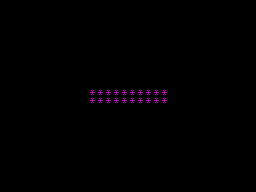
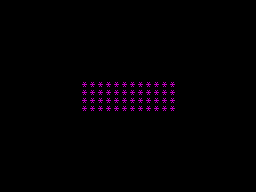
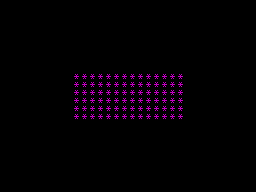
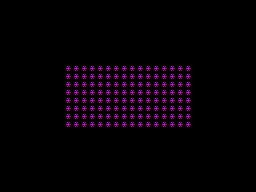
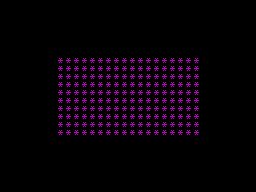
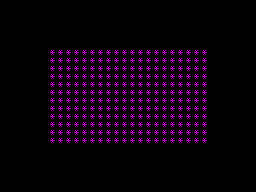
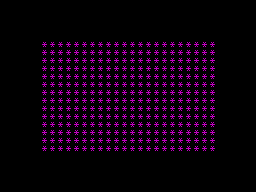
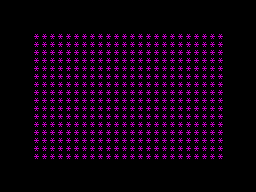
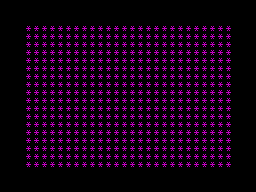
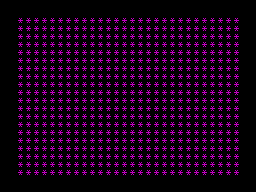
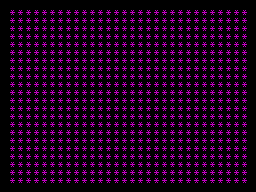
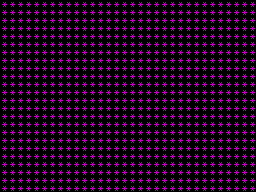
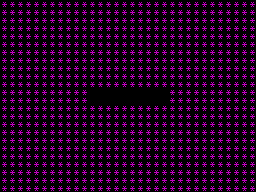
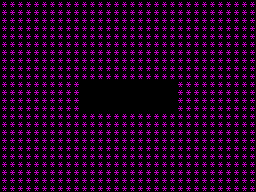
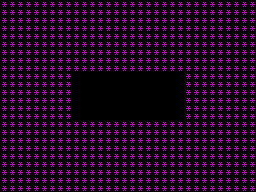
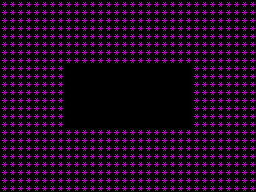
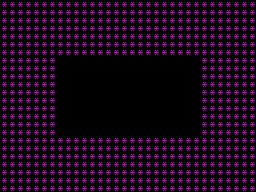
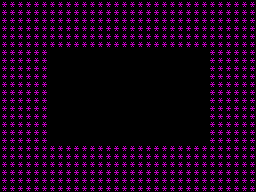
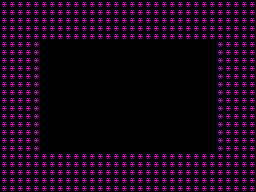
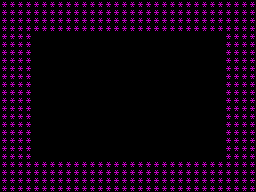
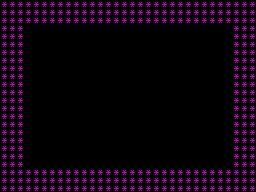
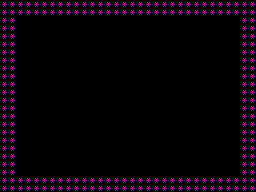
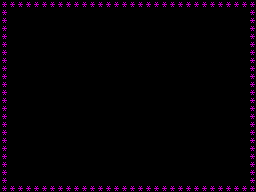

Creates a transition effect where a rectangular frame grows outwards from the center of the screen, the colour varies depending on the current phase. Once the frame fills the whole screen, it then "erases" from the center outwards again.
This animation is also present in Phoenix, the arcade game this game is based on.
|
|||||||||||||||||||||||||||||||||||||||||||||||||||||||||||||
|
Demonstrating the transition using INK:MAGENTA,
PAPER:BLACK (BRIGHT):
Which create the following animation:
|
|||||||||||||||||||||||||||||||||||||||||||||||||||||||||||||
| TransitionEffect | 68B8 | LD B,$02 | Set an iteration counter in B for 02 animations. | ||||||||||||||||||||||||||||||||||||||||||||||||||||||||||
| TransitionEffect_Loop | 68BA | PUSH BC | Stash the iteration counter on the stack. | ||||||||||||||||||||||||||||||||||||||||||||||||||||||||||
| 68BB | LD DE,$0109 | Set DE to initial frame dimensions (width=09, height=01). | |||||||||||||||||||||||||||||||||||||||||||||||||||||||||||
| 68BE | LD HL,$596B | HL=596B (starting attribute buffer location). | |||||||||||||||||||||||||||||||||||||||||||||||||||||||||||
|
Determine the attribute color for this iteration.
|
|||||||||||||||||||||||||||||||||||||||||||||||||||||||||||||
| 68C1 | LD A,B | Check if this is iteration 01? | |||||||||||||||||||||||||||||||||||||||||||||||||||||||||||
| 68C2 | CP $01 | ||||||||||||||||||||||||||||||||||||||||||||||||||||||||||||
|
The second time this loops around, the rectangular frame "erases" itself (which is just achieved by doing the same thing again but in BLACK).
|
|||||||||||||||||||||||||||||||||||||||||||||||||||||||||||||
| 68C4 | LD A,$00 | Set the iteration colour to: INK:BLACK, PAPER:BLACK. | |||||||||||||||||||||||||||||||||||||||||||||||||||||||||||
| 68C6 | JR Z,TransitionEffect_DrawFrame | Jump to TransitionEffect_DrawFrame if this is iteration 01. | |||||||||||||||||||||||||||||||||||||||||||||||||||||||||||
|
Else, this is the first loop - so set the INK based on the current phase.
|
|||||||||||||||||||||||||||||||||||||||||||||||||||||||||||||
| 68C8 | LD A,($66F1) | Set the iteration colour to: *Phase+03. | |||||||||||||||||||||||||||||||||||||||||||||||||||||||||||
| 68CB | ADD A,$03 | ||||||||||||||||||||||||||||||||||||||||||||||||||||||||||||
| 68CD | CP $07 | Jump to TransitionEffect_DrawFrame unless the colour is WHITE (for phase 04). | |||||||||||||||||||||||||||||||||||||||||||||||||||||||||||
| 68CF | JR NZ,TransitionEffect_DrawFrame | ||||||||||||||||||||||||||||||||||||||||||||||||||||||||||||
|
Phase 04 uses INK:MAGENTA,
PAPER:BLACK (BRIGHT) instead of WHITE.
|
|||||||||||||||||||||||||||||||||||||||||||||||||||||||||||||
| 68D1 | LD A,$43 | Set the iteration colour to: INK:MAGENTA, PAPER:BLACK (BRIGHT). | |||||||||||||||||||||||||||||||||||||||||||||||||||||||||||
|
There are 0C frames to fill the whole screen.
|
|||||||||||||||||||||||||||||||||||||||||||||||||||||||||||||
| TransitionEffect_DrawFrame | 68D3 | LD B,$0C | Set a counter in B for 0C frames. | ||||||||||||||||||||||||||||||||||||||||||||||||||||||||||
| TransitionEffect_FrameLoop | 68D5 | PUSH BC | Stash the frame counter on the stack. | ||||||||||||||||||||||||||||||||||||||||||||||||||||||||||
| 68D6 | LD B,E | Set the horizontal counter from E (frame width). | |||||||||||||||||||||||||||||||||||||||||||||||||||||||||||
|
Draw the top edge of the frame (left to right).
|
|||||||||||||||||||||||||||||||||||||||||||||||||||||||||||||
| TransitionEffect_TopEdge | 68D7 | LD (HL),A | Write the attribute byte to the attribute buffer. | ||||||||||||||||||||||||||||||||||||||||||||||||||||||||||
| 68D8 | CALL Print_Asterisk | Call Print_Asterisk. | |||||||||||||||||||||||||||||||||||||||||||||||||||||||||||
| 68DB | INC HL | Move the attribute address pointer right one block. | |||||||||||||||||||||||||||||||||||||||||||||||||||||||||||
| 68DC | DJNZ TransitionEffect_TopEdge | Decrease the horizontal counter by one and loop back to TransitionEffect_TopEdge until the top edge of the frame has been drawn. | |||||||||||||||||||||||||||||||||||||||||||||||||||||||||||
| 68DE | LD B,D | Set the vertical counter from D (frame height). | |||||||||||||||||||||||||||||||||||||||||||||||||||||||||||
|
Draw the right edge of the frame (top to bottom).
|
|||||||||||||||||||||||||||||||||||||||||||||||||||||||||||||
| TransitionEffect_RightEdge | 68DF | PUSH BC | Stash the vertical counter on the stack. | ||||||||||||||||||||||||||||||||||||||||||||||||||||||||||
| 68E0 | LD (HL),A | Write the attribute byte to the attribute buffer. | |||||||||||||||||||||||||||||||||||||||||||||||||||||||||||
| 68E1 | CALL Print_Asterisk | Call Print_Asterisk. | |||||||||||||||||||||||||||||||||||||||||||||||||||||||||||
| 68E4 | LD BC,$0020 | Move down one row (add 0020 to the attribute address). | |||||||||||||||||||||||||||||||||||||||||||||||||||||||||||
| 68E7 | ADD HL,BC | ||||||||||||||||||||||||||||||||||||||||||||||||||||||||||||
| 68E8 | POP BC | Restore the vertical counter from the stack. | |||||||||||||||||||||||||||||||||||||||||||||||||||||||||||
| 68E9 | DJNZ TransitionEffect_RightEdge | Decrease the vertical counter by one and loop back to TransitionEffect_RightEdge until the right edge of the frame has been drawn. | |||||||||||||||||||||||||||||||||||||||||||||||||||||||||||
| 68EB | LD B,E | Set the horizontal counter from E (frame width). | |||||||||||||||||||||||||||||||||||||||||||||||||||||||||||
|
Draw the bottom edge of the frame (right to left).
|
|||||||||||||||||||||||||||||||||||||||||||||||||||||||||||||
| TransitionEffect_BottomEdge | 68EC | LD (HL),A | Write the attribute byte to the attribute buffer. | ||||||||||||||||||||||||||||||||||||||||||||||||||||||||||
| 68ED | CALL Print_Asterisk | Call Print_Asterisk. | |||||||||||||||||||||||||||||||||||||||||||||||||||||||||||
| 68F0 | DEC HL | Move the attribute address pointer left one block. | |||||||||||||||||||||||||||||||||||||||||||||||||||||||||||
| 68F1 | DJNZ TransitionEffect_BottomEdge | Decrease the horizontal counter by one and loop back to TransitionEffect_BottomEdge until the bottom edge of the frame has been drawn. | |||||||||||||||||||||||||||||||||||||||||||||||||||||||||||
| 68F3 | LD B,D | Set the vertical counter from D (frame height). | |||||||||||||||||||||||||||||||||||||||||||||||||||||||||||
|
Draw the left edge of the frame (bottom to top).
|
|||||||||||||||||||||||||||||||||||||||||||||||||||||||||||||
| TransitionEffect_LeftEdge | 68F4 | PUSH BC | Stash the vertical counter on the stack. | ||||||||||||||||||||||||||||||||||||||||||||||||||||||||||
| 68F5 | LD (HL),A | Write the attribute byte to the attribute buffer. | |||||||||||||||||||||||||||||||||||||||||||||||||||||||||||
| 68F6 | CALL Print_Asterisk | Call Print_Asterisk. | |||||||||||||||||||||||||||||||||||||||||||||||||||||||||||
| 68F9 | LD BC,$0020 | Move up one row (subtract 0020 from the attribute address). | |||||||||||||||||||||||||||||||||||||||||||||||||||||||||||
| 68FC | AND A | ||||||||||||||||||||||||||||||||||||||||||||||||||||||||||||
| 68FD | SBC HL,BC | ||||||||||||||||||||||||||||||||||||||||||||||||||||||||||||
| 68FF | POP BC | Restore the vertical counter from the stack. | |||||||||||||||||||||||||||||||||||||||||||||||||||||||||||
| 6900 | DJNZ TransitionEffect_LeftEdge | Decrease the vertical counter by one and loop back to TransitionEffect_LeftEdge until the left edge of the frame has been drawn. | |||||||||||||||||||||||||||||||||||||||||||||||||||||||||||
|
Move outward to the next frame.
|
|||||||||||||||||||||||||||||||||||||||||||||||||||||||||||||
| 6902 | LD C,$21 | Move up one row and left one block (subtract 0021 from the attribute address). | |||||||||||||||||||||||||||||||||||||||||||||||||||||||||||
| 6904 | SBC HL,BC | ||||||||||||||||||||||||||||||||||||||||||||||||||||||||||||
|
Increase the frame dimensions.
|
|||||||||||||||||||||||||||||||||||||||||||||||||||||||||||||
| 6906 | INC E | Increment frame width by two. | |||||||||||||||||||||||||||||||||||||||||||||||||||||||||||
| 6907 | INC E | ||||||||||||||||||||||||||||||||||||||||||||||||||||||||||||
| 6908 | INC D | Increment the frame height by two. | |||||||||||||||||||||||||||||||||||||||||||||||||||||||||||
| 6909 | INC D | ||||||||||||||||||||||||||||||||||||||||||||||||||||||||||||
|
Action a delay between the frames.
|
|||||||||||||||||||||||||||||||||||||||||||||||||||||||||||||
| 690A | PUSH AF | Stash the attribute byte on the stack. | |||||||||||||||||||||||||||||||||||||||||||||||||||||||||||
| 690B | LD BC,$000A | Set a frame delay counter in BC to 0100*0A loops. | |||||||||||||||||||||||||||||||||||||||||||||||||||||||||||
| TransitionEffect_FrameDelay | 690E | DJNZ TransitionEffect_FrameDelay | Decrease the inner loop counter by one and loop back to TransitionEffect_FrameDelay until the inner loop counter is zero. | ||||||||||||||||||||||||||||||||||||||||||||||||||||||||||
| 6910 | DEC C | Decrease the outer loop counter by one. | |||||||||||||||||||||||||||||||||||||||||||||||||||||||||||
| 6911 | JR NZ,TransitionEffect_FrameDelay | Jump back to TransitionEffect_FrameDelay until the outer loop counter is zero. | |||||||||||||||||||||||||||||||||||||||||||||||||||||||||||
|
Process the next frame loop (or pass through when it's completed).
|
|||||||||||||||||||||||||||||||||||||||||||||||||||||||||||||
| 6913 | POP AF | Restore the attribute byte and frame counter from the stack. | |||||||||||||||||||||||||||||||||||||||||||||||||||||||||||
| 6914 | POP BC | ||||||||||||||||||||||||||||||||||||||||||||||||||||||||||||
| 6915 | DJNZ TransitionEffect_FrameLoop | Decrease the frame counter by one and loop back to TransitionEffect_FrameLoop until the counter is zero. | |||||||||||||||||||||||||||||||||||||||||||||||||||||||||||
|
Action a delay between the iterations.
|
|||||||||||||||||||||||||||||||||||||||||||||||||||||||||||||
| 6917 | LD BC,$0032 | Set an iteration delay counter in BC to 0100*32 loops. | |||||||||||||||||||||||||||||||||||||||||||||||||||||||||||
| TransitionEffect_DelayLoop | 691A | DJNZ TransitionEffect_DelayLoop | Decrease the inner loop counter by one and loop back to TransitionEffect_DelayLoop until the inner loop counter is zero. | ||||||||||||||||||||||||||||||||||||||||||||||||||||||||||
| 691C | DEC C | Decrease the outer loop counter by one. | |||||||||||||||||||||||||||||||||||||||||||||||||||||||||||
| 691D | JR NZ,TransitionEffect_DelayLoop | Jump back to TransitionEffect_DelayLoop until the outer loop counter is zero. | |||||||||||||||||||||||||||||||||||||||||||||||||||||||||||
|
Process the next iteration animation (or pass through and end).
|
|||||||||||||||||||||||||||||||||||||||||||||||||||||||||||||
| 691F | POP BC | Restore the iteration counter from the stack. | |||||||||||||||||||||||||||||||||||||||||||||||||||||||||||
| 6920 | DJNZ TransitionEffect_Loop | Decrease the iteration counter by one and loop back to TransitionEffect_Loop until the animation is complete. | |||||||||||||||||||||||||||||||||||||||||||||||||||||||||||
|
All done, clear the screen and return.
|
|||||||||||||||||||||||||||||||||||||||||||||||||||||||||||||
| 6922 | CALL ClearScreen | Call ClearScreen. | |||||||||||||||||||||||||||||||||||||||||||||||||||||||||||
| 6925 | RET | Return. | |||||||||||||||||||||||||||||||||||||||||||||||||||||||||||
| Prev: 68A1 | Up: Map | Next: 6926 |